
Autumn Ladies Cozy Trends




About Autumn Ladies Cozy Trends
Quick Overview
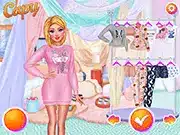
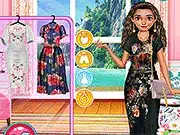
“Autumn Ladies Cozy Trends” is a popular fashion simulation game where players design and style various autumnal outfits. The core mechanic involves selecting from an expansive wardrobe of clothing, accessories, and customization options. The main objective is to create aesthetically pleasing and trendy ensembles, adhering to the “cozy autumn” theme, and potentially share these creations within the game environment. This Popular game online emphasizes creativity and seasonal style.
Game Controls
| Key | Action |
|---|---|
| Left Click | Select Item / Apply Customization / Confirm Choice |
| Drag | Position Item / Adjust Slider Values / Rotate Elements |
| Scroll Wheel | Zoom View / Navigate Menus / Browse Item Categories |
| Right Click | Deselect Item / Undo Last Action / Open Context Menu |
Key Features
- An extensive catalog of autumn-themed clothing, including sweaters, coats, scarves, and boots.
- Detailed customization options for hairstyles, makeup, and accessories to complete each look.
- Trend-driven challenges that encourage players to create outfits based on specific seasonal aesthetics.
- An integrated gallery feature to save and showcase created This game outfits.
Pro Tips & Strategy
Technical Specs
| Feature | Detail |
|---|---|
| Platform | Browser |
| Technology | HTML5/WebGL |
| Category | Popular |
| Controls | Mouse (Left Click, Drag, Scroll Wheel) |
| Rating | User-based |
Frequently Asked Questions
How do I unlock new clothing items in Autumn Ladies Cozy Trends?
New clothing items and accessories are typically unlocked through completing daily challenges, achieving styling goals, or accumulating in-game currency earned from successful outfit creations.
Can I save and share my custom outfits?
Yes, The game includes a gallery or portfolio feature where you can save your favorite styled looks. Many players can also generate a shareable image or link to showcase their designs with friends.
What are the main Autumn Ladies Cozy Trends controls?
The primary This one controls involve using the mouse: Left Click for selection and confirmation, Drag for positioning and adjustments, and the Scroll Wheel for navigation and zooming.