
Connect Dots


About Connect Dots
Quick Overview
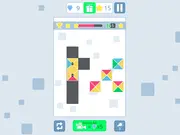
Connect Dots is a Popular puzzle game where players are tasked with linking identical dots on a grid. The core mechanic involves drawing lines between matching colored dots to clear them from the board. The main objective is to connect all pairs of dots without any lines intersecting, strategically filling the entire play area.
Game Controls
| Key | Action |
|---|---|
| Left Mouse Button | Select a dot / Initiate line drawing |
| Drag Mouse | Draw line to connect matching dot |
| Release Left Mouse Button | Confirm connection |
| R | Reset current line |
Key Features
- Intuitive dot-connecting gameplay suitable for all skill levels.
- Progressive difficulty system with increasingly complex grid sizes and dot arrangements.
- Vibrant, distinct color palette for dots enhances visual clarity and puzzle recognition.
- Strategic pathfinding elements requiring careful planning to avoid line intersections.
Pro Tips & Strategy
Technical Specs
| Feature | Detail |
|---|---|
| Platform | Browser |
| Technology | HTML5/WebGL |
| Category | Popular |
| Controls | Mouse Click and Drag, Keyboard (R for reset) |
| Rating | User-based |
Frequently Asked Questions
How do I connect dots in this game?
To this one, use your Left Mouse Button to click on a dot, then drag the mouse to its matching colored partner. Release the button to confirm the connection; the line will solidify if valid.
What is the main objective of “Connect Dots”?
The primary objective of This game is to connect all pairs of identically colored dots on the board, ensuring that no drawn lines cross over any other lines. Completing all connections without intersections clears the level.
Are there different difficulty levels in “Connect Dots”?
Yes, This title features a progression system where levels introduce larger grids, more dot pairs, and more intricate layouts, thereby increasing the overall puzzle difficulty and strategic challenge.