
Cute Craft Lab


About Cute Craft Lab
Quick Overview
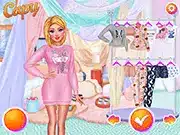
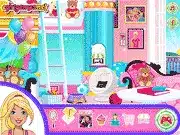
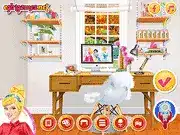
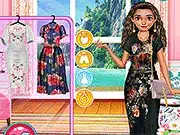
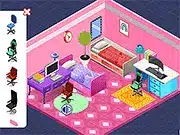
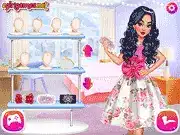
Cute Craft Lab is a Popular game online offering a unique blend of casual simulation and creative crafting within an enchanting laboratory environment. Players are tasked with synthesizing diverse adorable items and creatures through resource management and experimental combinations. The core mechanic revolves around discovering new recipes and utilizing lab equipment, with the main objective being to expand your crafting repertoire and continuously create charming crafts.
Game Controls
| Key | Action |
|---|---|
| Mouse Left Click | Interact with UI elements, select items, confirm actions |
| Mouse Drag | Move objects within the lab, rearrange inventory, scroll interfaces |
| W / Up Arrow | Navigate upwards in menus, move camera up |
| S / Down Arrow | Navigate downwards in menus, move camera down |
| A / Left Arrow | Navigate left in menus, move camera left |
| D / Right Arrow | Navigate right in menus, move camera right |
Key Features
- Intuitive Crafting System: Engage with a streamlined interface for combining various components to synthesize unique cute items and gadgets, encouraging player creativity.
- Dynamic Resource Management: Strategically gather, refine, and store a wide array of materials. Successful progression hinges on balancing supply chains and prioritizing resources.
- Expansive Recipe Discovery Tree: Unlock a constantly growing database of blueprints and formulas through hands-on experimentation. Each new discovery paves the way for more complex crafting challenges.
- Charming Visuals & Soundtrack: Immerse yourself in a vibrant, aesthetically pleasing world characterized by adorable characters, delightful animations, and a soothing auditory experience.
Pro Tips & Strategy
Technical Specs
| Feature | Detail |
|---|---|
| Platform | Browser |
| Technology | HTML5/WebGL |
| Category | Popular |
| Controls | Mouse (Left Click, Drag), Keyboard (WASD/Arrow Keys) |
| Rating | User-based |
Frequently Asked Questions
What are the main Cute Craft Lab controls for interaction?
The primary This title controls involve mouse interaction (left-click to select, drag to move objects) for most UI elements. Keyboard inputs, like WASD or arrow keys, are typically used for camera or menu navigation.
How to play Cute Craft Lab effectively to discover new items?
To how to play It effectively and discover new items, focus on consistent resource gathering and systematic experimentation. Combine different materials, observe results, and don’t hesitate to try unusual combinations to unlock rare recipes.
Is Cute Craft Lab a free online game, and what makes it popular?
Yes, The game is typically a Popular game online that is free to play directly in a web browser without downloads. Its popularity stems from its accessible gameplay, charming aesthetics, satisfying crafting loop, and continuous discovery, appealing to a broad audience.