
Ragdoll Physics 2



About Ragdoll Physics 2
Quick Overview
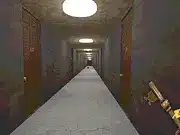
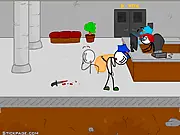
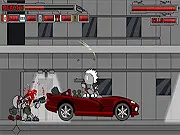
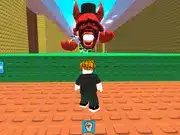
“Ragdoll Physics 2” is a highly Popular game online within the physics simulation genre, offering an immersive sandbox experience. Players engage with a deformable ragdoll figure within various interactive environments, observing and influencing its movements under realistic yet often exaggerated physics. The core mechanic revolves around applying forces, initiating collisions, and setting up scenarios to explore the robust ragdoll physics engine. The main objective is to freely experiment with kinetic energy, gravitational effects, and environmental dynamics, fostering creative interactions and generating diverse physical reactions.
Game Controls
| Key | Action |
|---|---|
| Mouse Left Click & Drag | Manipulate ragdoll limbs or interactive objects |
| R | Reset ragdoll position or the entire simulation |
| Scroll Wheel | Adjust camera zoom level |
Key Features
- Refined Ragdoll Physics Engine: Experience the next iteration of ragdoll physics, offering sophisticated collision detection and realistic limb deformation for every impact and fall.
- Diverse Interactive Environments: Explore a range of unique settings, each packed with various movable objects, hazardous elements, and surfaces that dynamically respond to the ragdoll’s interactions.
- Unrestricted Sandbox Gameplay: Engage in a truly open-ended experience where the absence of strict objectives empowers players to creatively engineer scenarios and observe physics-driven outcomes.
- Enhanced Visual and Auditory Feedback: Benefit from improved graphical fidelity for impact representation and responsive sound design, providing satisfying cues for physics events within This game.
Pro Tips & Strategy
Technical Specs
| Feature | Detail |
|---|---|
| Platform | Browser |
| Technology | HTML5/WebGL |
| Category | Popular |
| Controls | Mouse, Keyboard |
| Rating | User-based |
Frequently Asked Questions
How do I control the ragdoll in Ragdoll Physics 2?
The primary interaction for This one controls involves using the left mouse button to click and drag the ragdoll or environmental objects to apply force. The ‘R’ key is typically used to reset the ragdoll’s position or restart the current simulation.
Are there specific objectives or levels to complete in Ragdoll Physics 2?
This game operates primarily as a sandbox experience, prioritizing player experimentation with its physics engine and interactive elements over predefined levels or narrative objectives. Players are encouraged to create and explore their own scenarios.
Can I interact with environmental elements in Ragdoll Physics 2?
Yes, interacting with the environment is a core aspect of This title. Players can manipulate, launch, or collide the ragdoll against various objects, surfaces, and hazards to observe diverse physical reactions and create dynamic situations. This makes it a compelling Popular game online.